Accessibility
Accessibility is vital, ensuring websites are usable by everyone. Neodymium has integrated Google Lighthouse to address and test accessibility.
Installation
⚠️ Warning
Before using Lighthouse within Neodymium, it must be installed independently on the machine running the tests.
Install Lighthouse globally using npm:
npm install -g lighthouse
Usage
A Lighthouse report can be generated for the currently loaded page at any point during a test:
LighthouseUtils.createLightHouseReport("<reportName>");
This works as long as a webpage is loaded, even for pages relying on session-specific data.
Exception: Pages that redirect immediately upon refresh (like some checkout pages) may be difficult to test because Lighthouse re-opens the page in a separate tab.
Example
The FirstTest can be modified to generate valid Lighthouse reports after each page navigation:
public class FirstTest
{
    @NeodymiumTest
    public void firstTest()
    {
        // open the test website
        Selenide.open("https://posters.xceptance.io:8443/");

        // interacting with elements and assert states
        HomePage homePage = new HomePage().assertExpectedPage();
        LighthouseUtils.createLightHouseReport("HomePage");

        // navigate to the category page
        ProductListingPage productListingPage = homePage.openCategoryAtPosition(1);
        LighthouseUtils.createLightHouseReport("ProductListingPage");

        ...
    }
}
⚠️ Warning
Lighthouse cannot analyze modals, fly-ins, hover effects, or similar interactive elements because the page is re-opened in a separate tab for analysis. Any modals manually opened during testing will be closed when a Lighthouse report is generated.
The generated Lighthouse reports are stored in the project’s target directory and attached to the Allure report:
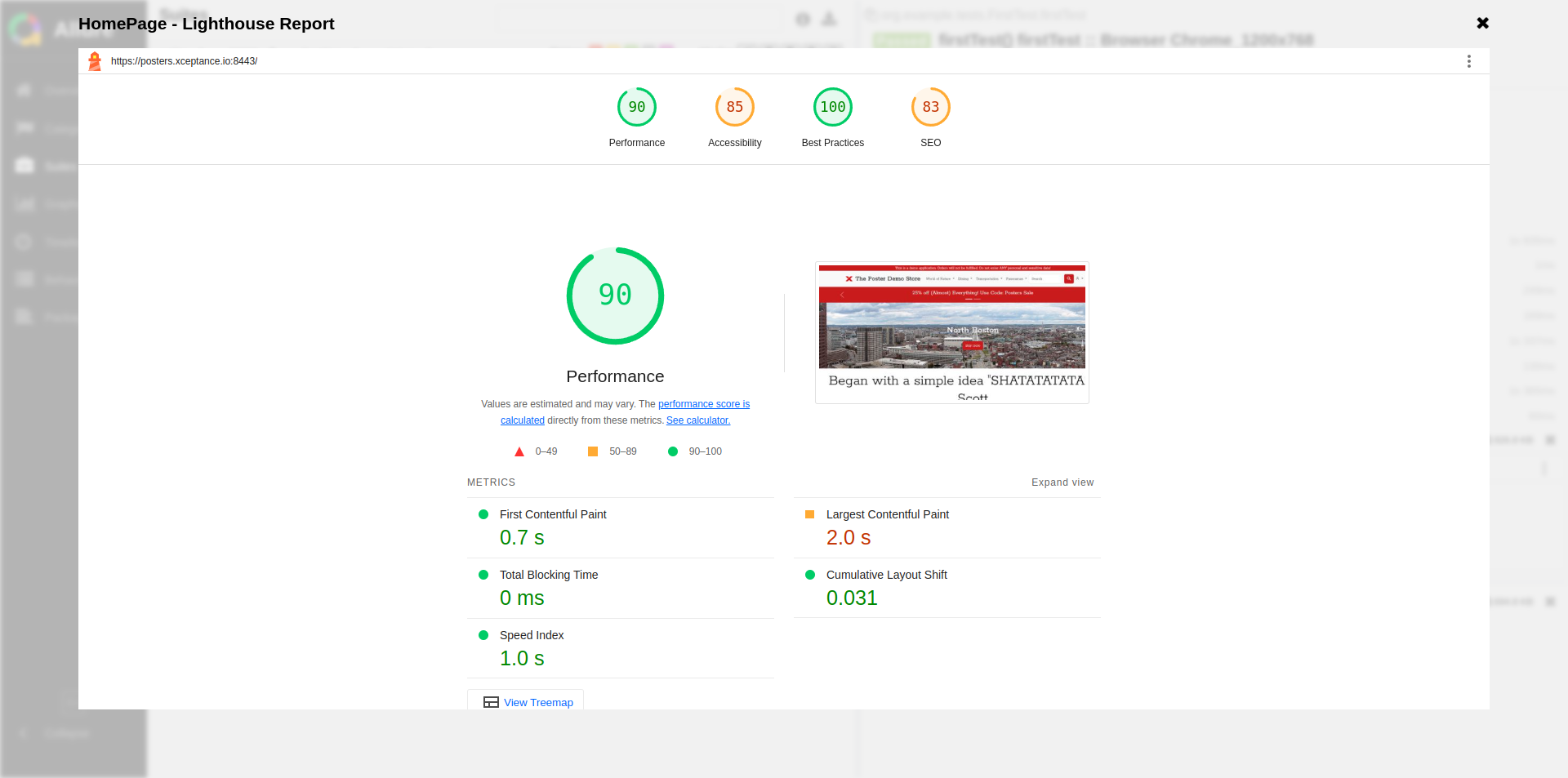
The Lighthouse report inside the Allure report.
Validations
Neodymium allows validation of the scores for the four Lighthouse categories:
- Performance
- Accessibility
- Best Practices
- Search Engine Optimisation (SEO)
To establish target scores (0 to 1), configure neodymium.properties:
neodymium.lighthouse.assert.thresholdScore.performance=0.5
neodymium.lighthouse.assert.thresholdScore.accessibility=0.5
neodymium.lighthouse.assert.thresholdScore.bestPractices=0.5
neodymium.lighthouse.assert.thresholdScore.seo=0.5
Specific audits can also be validated by listing them:
neodymium.lighthouse.assert.audits=link-text uses-http2 robots-txt